THE COMPOSITE
week 1. introduction to nuke
What is Nuke?
• Nuke is a powerful node–based compositing application developed by The
Foundry.
• It is widely regarded as the industry standard for high–end visual effects in
film, TV, and streaming.
• Used to combine live action, CG, matte paintings, and 2D/3D elements into a
seamless final image.
• Known for its scalability, precision, and flexibility in complex VFX workflows.
Nuke’s Role in the VFX Pipeline
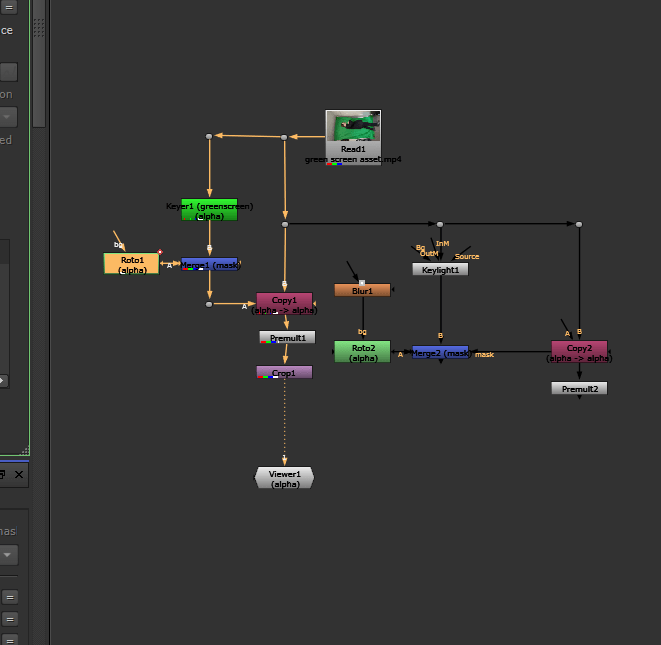
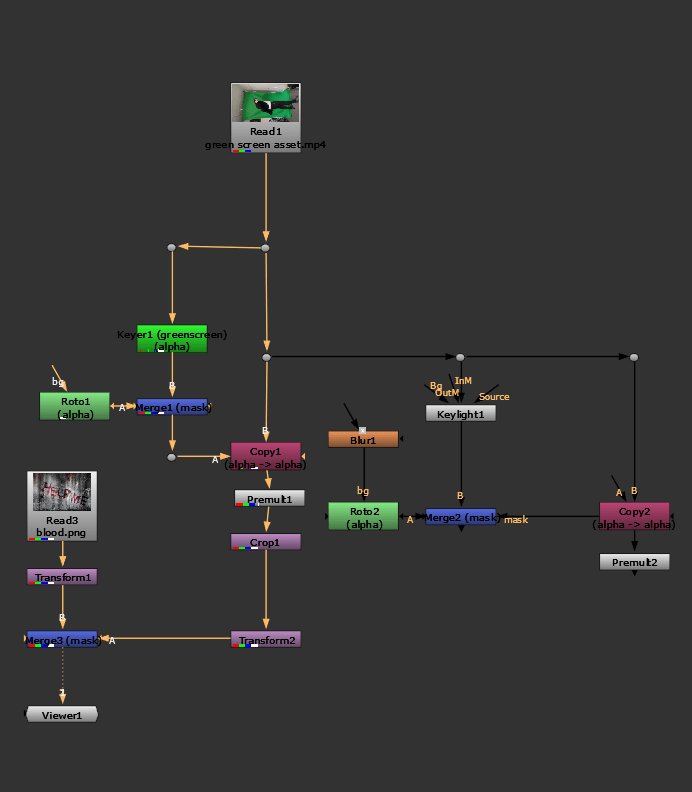
Commonly Used Nuke Nodes
(Accessed via [tab] button or shortcut key)Copy (K) – Used to bring extra channels into the main stream
Defocus – Used to defocus the image replicating camera defocus
Erode(filter) – Generally used to expand or contract the edge of an alpha
channel.
Frame Hold – Freezes footage on a selected frame. Used a lot for clean up patch
work
Grade (G) – for applying color correction changes
Keylight – Primary blue/green screen keying node
Keymix – A type of merge that allows you to mix two keys together through the
use of a mask..
Merge (M) – Used to composite two elements together
Premult – A multiply operation between the RGB and Alpha of an image. It
effectively cuts the image out based on the alpha channel present.
Reformat – Allows changes to the resolution of everything up stream of this
node.
Read – A node which allows you to bring footage into Nuke
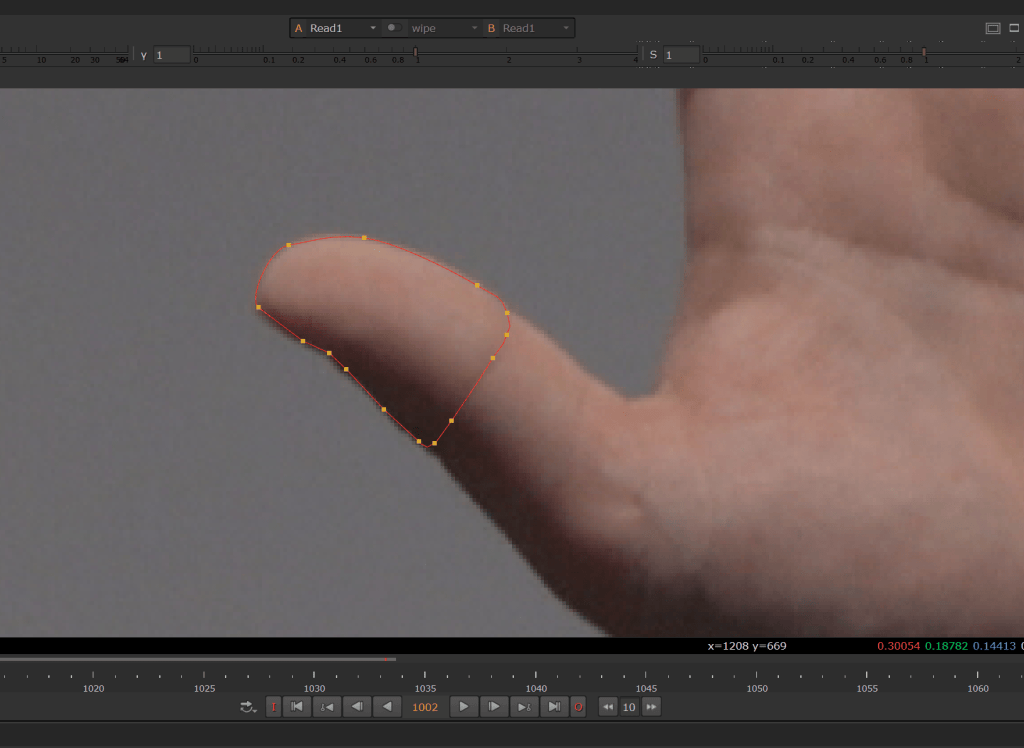
Roto (O) – Used to create a matte
Roto/Paint (P) – Used to create mattes, painting, cloning, and paint reveals
Time Offset – A node which offsets the frame range of footage
Tracker – A transform node which tracks pixel values in an image. Used to
composite elements into shot and match the movement within that shot.
Transform (T) – for changing spatial coordinates of an element
Write – This allows you to render your comp out to file.
Why is nuke used in industry vfx
A core part of the post–production process, where all visual elements are composited
together.
Typical tasks include:
• Green screen keying and background integration
• Matte painting and digital set extension
• 2D/3D tracking and camera projection
Works to composite 3d generated material from tools such as Maya, Houdini and Zbrush
Core Features and Capabilities
• Industry–leading keying and rotoscoping tools
• 3D workspace with geometry import and camera tracking
• Support for multi–pass rendering
• Python scripting for pipeline integration and automation
• Multi–shot and collaborative workflows for large productions
Industry Applications
Used by leading VFX studios such as ILM, Framestore, DNEG, and Bluebolt.
Standard tool in the creation of:
• Feature films
• High–end TV and streaming series
• Cinematic advertising
Critical for delivering photorealistic composites and invisible visual effects
Rotoscope – Week 2
Rotoscoping began as an animation technique of frame by frame drawings, but is
now more frequently used as a VFX tool for hiding wires and creating CGI worlds.
- Matte Creation: Artists draw digital outlines (splines or masks) around a subject in every frame to generate an alpha channel cutout.
- No Green Screen Needed: It allows a subject to be extracted cleanly even if it was filmed against a regular, un-keyed background.
- Compositing: The isolated element can then be placed onto a totally different virtual background, or digital effects can be inserted behind or in front of it.
- Cleanup and Removal: It is frequently used to paint out or rotoscope away unwanted elements like wires, stray crew members, or modern artifacts in period pieces.
The age of rotoscope
The lord of the rings (annimated)
he is the most famous example of rotoscoping in feature film history, where live-action footage was filmed and traced frame-by-frame onto animation
- The Nazgûl (Black Riders): The terrifying horsemen chasing Frodo were created using rotoscoped live-action actors, giving their movements a weighty, menacing realism as they hunt the hobbits
- The Battle of Helm’s Deep: Bakshi used live-action footage of hundreds of actors in medieval costumes clashing with swords and shields, then traced them to fill the screen with large-scale, chaotic warfare on a limited budget.
- Orcs and Goblins in Moria: The chaotic movement of orcs swarming through the Mines of Moria relied on rotoscoping real actors to give the creatures an uncomfortably organic, jerky, and threatening motion.
Saruman’s Army at Isengard:directly into animated cells. The massing of the Uruk-hai and human extras marching and shouting before Saruman utilized live-action crowd reference footage translated
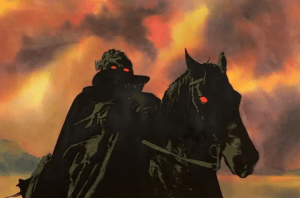
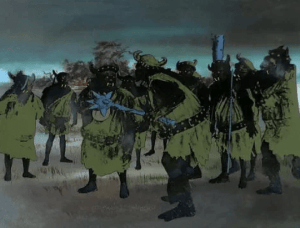

Rotoscoping in action
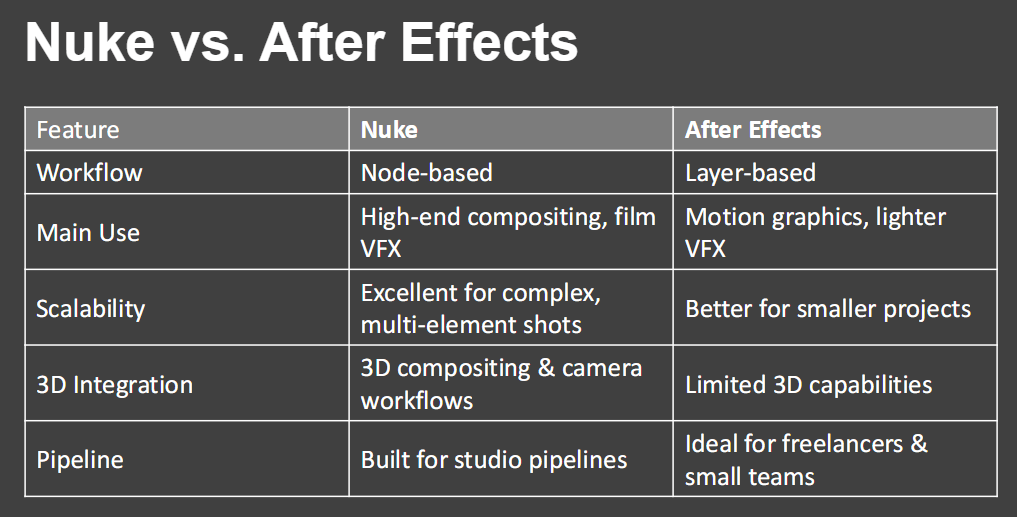
ROTOSCROPE IN ACTION ON NUKE.X WEEK 3
Week 4 & 5 keying, colour and grading.